How to use this music tempo finder
A section with clear, regular drums usually gives the analyzer the strongest repeating pattern to follow.
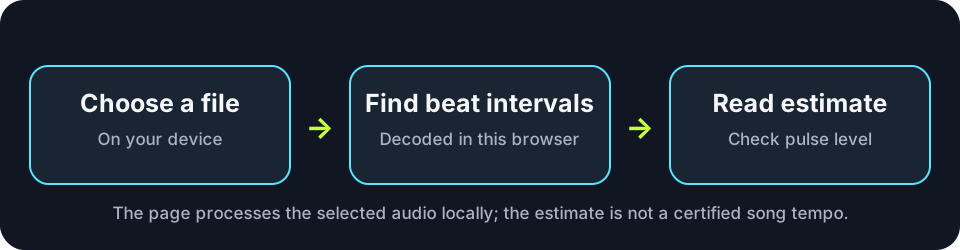
- Choose one audio file from your phone or computer, or drag it onto the upload area.
- Keep this page open while the browser decodes the file and searches for recurring beats.
- Read the estimated BPM, then use Analyze again if you want to repeat the calculation or Clear file before choosing another song.
How to read the audio bpm detector result
The number is an estimate of the strongest regular pulse found in the decoded audio. Songs with tempo changes, long quiet passages, weak percussion, or rhythms that emphasize half-time and double-time can produce a different pulse level from the one you expect.
What happens inside your browser
The page uses browser audio APIs and a beat-analysis routine. The selected file is read into memory on your device and is not posted to an upload endpoint.
| Stage | What the page does | Reference |
|---|---|---|
| Select | Reads the file chosen through the browser file input. | W3C File API |
| Decode | Converts supported encoded audio into an in-memory AudioBuffer. | W3C Web Audio API |
| Estimate | Finds recurring onset intervals and returns a tempo estimate. | Music Tempo |
BPM finder questions
These answers cover local processing, browser decoding, and common reasons an automatic tempo estimate may need interpretation.
Does my song get uploaded?
No. The file is decoded and analyzed by JavaScript running in this browser. The page does not send the selected audio to the site.
Why can an estimated BPM be half or double the expected tempo?
Music can contain several related pulse levels. An analyzer may follow slower accented beats or faster subdivisions when either pattern is stronger in the selected recording.
Why will some audio files not open?
The browser must be able to decode the file's audio encoding. If decoding fails, try another copy or a format supported by your current browser.
Can the BPM change during a song?
Yes. A performance may speed up, slow down, or contain sections with different rhythmic emphasis. This finder returns one estimate for the decoded file.
When should I use a song bpm finder instead of tapping?
Use the file analyzer when you have the recording available and want the browser to inspect its beat pattern. Manual tapping is useful when you are listening to audio that you cannot select as a local file.
Audio decoding and BPM analysis stay on this device. Clearing the file removes it from this page.